Synergy.

Shops & services · PAX A8900

Payment terminals for salons and spas

Pay at the desk, book the next visit. At your salon, the A8900 takes payment at reception, prints the receipt and books the next appointment in the same moment.

The terminal

PAX A8900

Android SmartPOS

Touchscreen or physical keys, a 40 mm printer and wired connections at the reception desk.
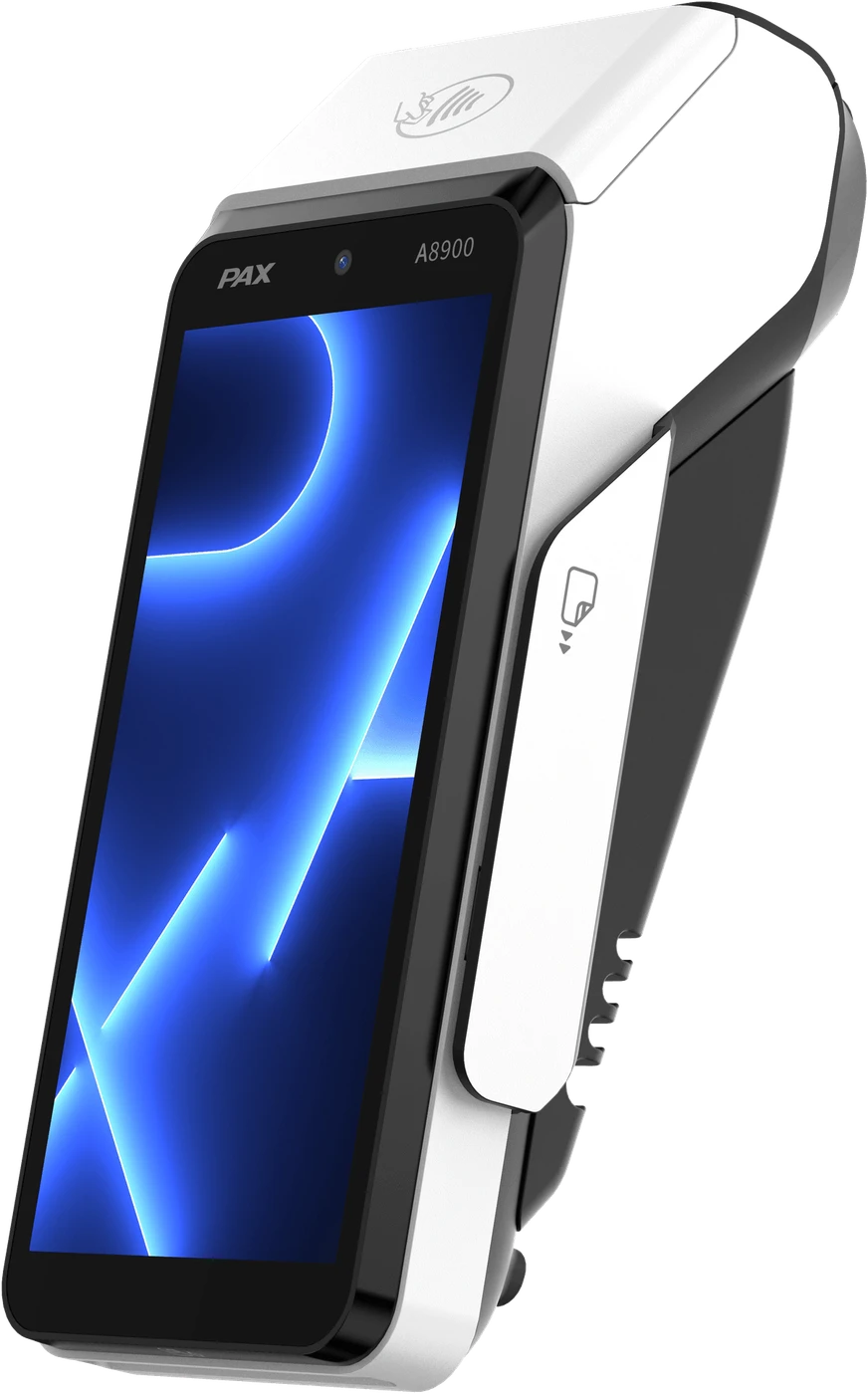
PAX A8900
Display
5.5″ touchscreen, or 4″ with keypad
Printer
40 mm thermal printer
Desktop base
LAN, RS232, USB-C
Security
PCI PTS 6.x
Supported card schemes
Visa, Mastercard, American Express, Multibanco, MB WAY, UnionPay (via certified acquirer)

From the PAX A8900 datasheet.

Apps and management · MAXSTORE

Apps for your salon, managed from one place.

MAXSTORE is PAX’s app marketplace and device-management platform. We use it to load the right apps onto every terminal at your salon, then update and support them remotely.

Bookings

See and book the next appointment

Gift vouchers

Sell and redeem vouchers

Tips

A tip prompt for the stylist

Loyalty

Points on treatments and products

  • Apps and updates pushed to every terminal remotely
  • Live status of each terminal’s hardware and apps
  • Remote help-desk sessions, without a site visit

MAXSTORE connects over 17 million PAX terminals worldwide.

How we set it up

Ready the day it arrives.

  1. Front-desk reviewReception, treatment rooms and booking system at your salon.
  2. ConfiguredAcquirer and booking link set up through MAXSTORE.
  3. Quietly supportedUpdates outside opening hours.

Another option for salons and spas

Or the PAX A920 Pro.

A larger screen to bring the bill to the client’s chair.
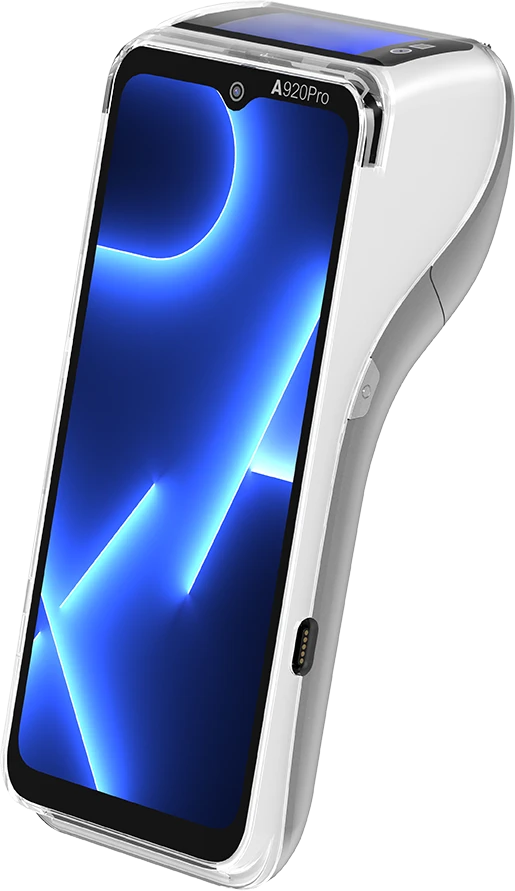
PAX A920 Pro

FAQ

Frequently asked questions

Which payment terminal do you recommend for salons and spas?

The PAX A8900 (Android SmartPOS). Touchscreen or physical keys, a 40 mm printer and wired connections at the reception desk.

Is there an alternative?

Yes: the PAX A920 Pro. A larger screen to bring the bill to the client’s chair.

Which apps run on the terminal?

Bookings: see and book the next appointment; Gift vouchers: sell and redeem vouchers; Tips: a tip prompt for the stylist; Loyalty: points on treatments and products. We load and update them remotely through MAXSTORE, PAX’s app marketplace and device-management platform.

Which payment methods does it accept?

Visa, Mastercard, American Express, Multibanco, MB WAY, UnionPay (via certified acquirer). Contactless, chip & PIN, magstripe.

How do you set it up?

Front-desk review: reception, treatment rooms and booking system at your salon. Configured: acquirer and booking link set up through MAXSTORE. Quietly supported: updates outside opening hours.

Next step

Get the A8900 for your salon.

Tell us about your sites. A Synergy specialist for salons and spas will reply with a quote.

Not ready to decide? Ask to see the A8900 working with the apps for salons and spas first.

Prefer to talk? Call +34 608 72 37 39.

What would you like?

We use these details only to reply to your request.

CallTalk to us

Contact

Talk to the Synergy team about payment terminals for your business.

Headquarters

Carretera de Fuencarral 44
Edificio 2, A302
28108 Alcobendas
Spain
Open in Google Maps

Phone

+34 608 72 37 39

Email

luis.barreiros@synergyfs.co

Or send us a message

We use these details only to reply to your request.

Legal notice

Information about the owner of this website.

Company name
Advanta Enterprises, S.L.
Tax ID (NIF)
B88993837
Registered office
Carretera de Fuencarral 44, Edificio 2, A302, 28108 Alcobendas, Madrid, Spain
Commercial registry
Email
luis.barreiros@synergyfs.co

PAX, A920 Pro, A77, A8900, IM30, IM25, SK700 and MAXSTORE are PAX Technology products. Product images and names belong to PAX Technology.

Visa, Mastercard, American Express, Multibanco, and MB WAY are registered trademarks of their respective owners. Reference to these payment methods does not constitute an endorsement, affiliation, or direct partnership. Transaction acceptance is enabled through certified acquirers and payment processing bridges.